Table of Contents
I work as a UI/UX designer and create most of my projects in Figma. It’s not just a tool for drawing mockups – it’s a full-fledged ecosystem for working on interfaces. What I especially like about Figma is the ability to combine design, prototyping, and collaboration in one place without having to switch between different programs.
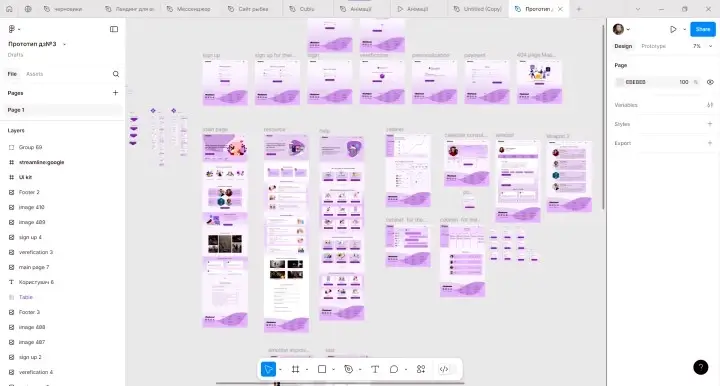
I Create Interactive Prototypes in Figma
Every day, I use features like Auto Layout to build adaptive and flexible layouts, and Components and Variants to create system and logic designs. This helps me save time and quickly make changes to large projects without having to edit each screen separately.
I also create interactive prototypes in Figma. This gives me the opportunity to show the client or team exactly how the product will work: from transitions between screens to micro-animations. Prototyping right in Figma allows you to approve solutions faster, test the logic of user paths, and avoid misunderstandings during the development phase.
One of the main advantages for me is that Figma is a cloud-based service. I can work on layouts from any device and easily collaborate with colleagues or customers in real time. Comments, edits, project presentation – all this happens in one place, which greatly simplifies communication.
Comparing Figma to other graphic editors, I see its advantages in speed, simplicity of the interface, and the ability to integrate work with developers without unnecessary steps. Exporting resources, preparing specifications – everything is implemented intuitively and conveniently.
Figma is more than just a working tool for me. It’s an environment that helps you build holistic, functional, and beautiful products, shortening the path from idea to realization.
Why It’s Important to Choose a Designer Who Works in Figma
A designer who knows how to work in Figma is primarily about speed, flexibility, and clear communication. In Figma, I can quickly adapt the design to new requirements, update components without wasting time, and instantly coordinate changes with the client or development team.
The process of approving layouts becomes simpler and more transparent, as everyone sees the latest versions in real time.
The integration of design into development is also more efficient: developers get ready-made specifications, access to resources, and a clear file structure.
This means fewer delays, fewer edits, and more high-quality final results.
Working at Figma, I can guarantee a modern approach to product development and the most comfortable interaction at all stages of the project.

Marina
UI/UX Designer
Figma Design